
Business Phone Systems
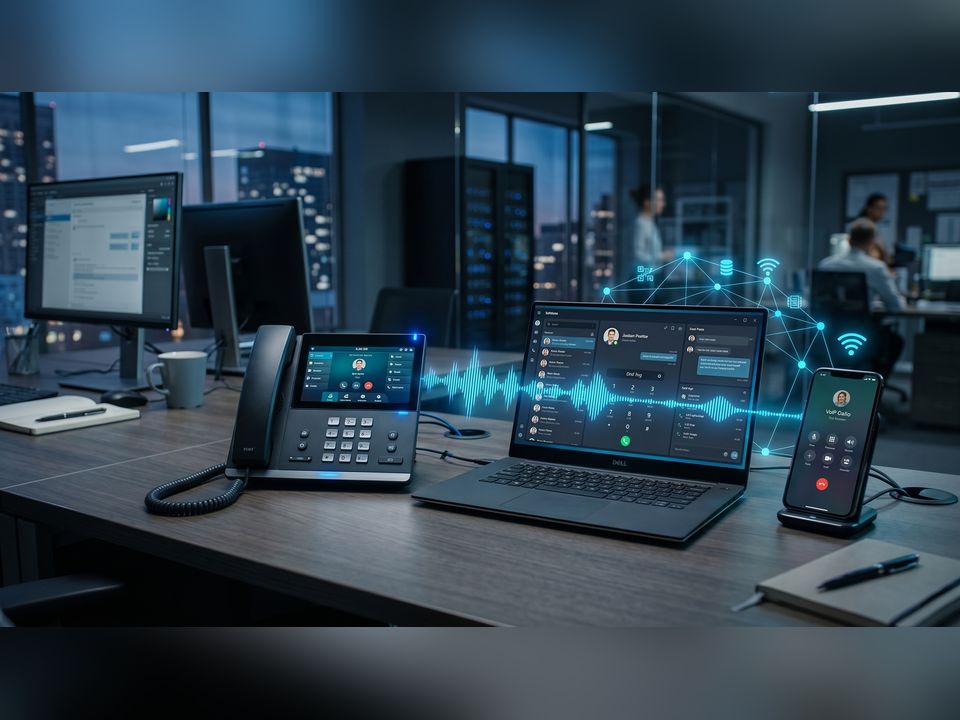
3CX phone systems that travel with your team — desk phones in the office, apps on the road, your existing numbers kept, and call flows built around how you actually work.
What's Included
- Keep your current numbers — we handle the port for you
- Two platforms: 3CX for a full business phone system, Go High Level phone for businesses that run on that CRM
- Desk phones (new Yealink, or yours when compatible), softphones, and mobile apps
- Call queues, auto-attendants, and AI voice options set up around how you work
- SIP trunks from Voxtelesys or Callcentric, matched to your call pattern
- Installed on-site, and your team trained before go-live
Two Platforms, Chosen for How You Work
We build on two platforms: 3CX for a full business phone system — desk phones, apps, call queues, CRM integrations, and AI voice options, hosted or on-site — and Go High Level phone for businesses that run on the Go High Level CRM, with a mobile app and a Voice AI agent that can pick up calls your team misses. Both can use AI voice in place of an old "press 1, press 2" menu. We'll recommend the one that fits how your business actually takes calls.
How It Works
1. Plan
We learn how your business takes calls: who answers, when you're open, and where calls should go after hours. Then we recommend 3CX or Go High Level phone and, for 3CX, the right carrier.
2. Port Your Numbers
We file the transfer of your existing numbers and coordinate the switchover, so customers keep dialing the number they already know.
3. Configure
We build your call flow, voicemail, and office hours, plus AI voice in place of a phone menu or for missed calls, if you want it.
4. Install On-Site
We set up desk phones — new Yealink phones, or your existing ones when compatible — and the mobile app for each person, at your location, before go-live.
5. Train and Support
We train your team on-site to answer, transfer, check voicemail, and use the app. After launch, you contact us directly for support.
An AI Phone Assistant Is Only as Helpful as What It Knows
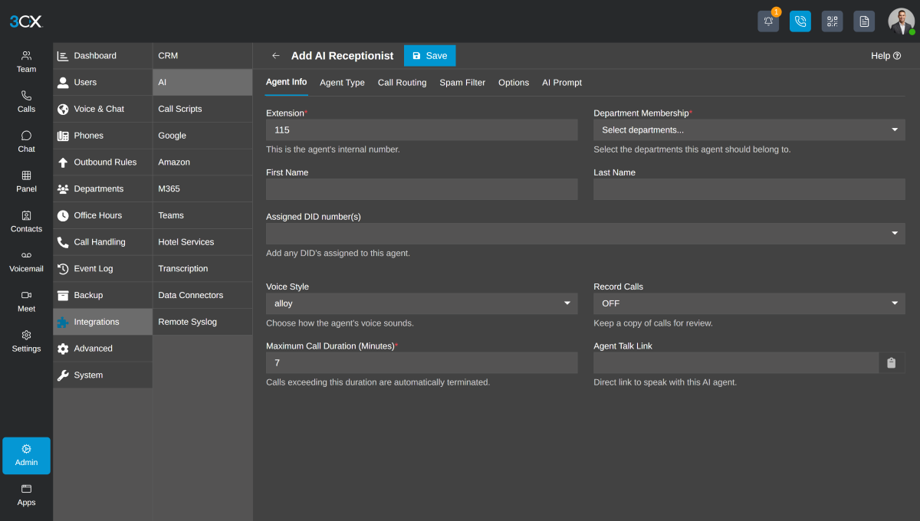
We help you write and organize the knowledge base your AI voice assistant draws from: your services, hours, service area, and the answers callers ask for most. Use it in place of an old phone menu, or to pick up calls when your team can't. If we build your website, the same facts behind your site feed your AI assistant, so both tell callers the same thing.
Common Questions
Can I keep my current business phone number?
In most cases, yes. Moving a number to a new carrier is called porting, and we handle the request. You'll usually need your current account details and a recent bill, and the account holder signs a form giving permission for the move. Keep your current service on until the move is complete. Porting fees may apply.
What's the difference between 3CX and Go High Level phone?
3CX is a full business phone system with desk phones, apps, call queues, CRM integrations, and AI voice options, and it can be hosted or on-site. Go High Level phone is built into the Go High Level CRM, with a mobile app and a Voice AI agent that can pick up calls your team misses. If you run your sales and marketing in Go High Level, its phone is a natural fit. If you need a full office phone system, 3CX usually is.
Can I keep my existing desk phones?
When they're compatible, yes, we can reuse them. You can check your models against 3CX's list of supported phones — it covers the preferred brands (Fanvil, Snom, and Yealink), the models supported with limitations, and legacy phones. For Go High Level phone, most standard open-SIP desk phones can register directly with HighLevel — their VoIP deskphones guide lists commonly used models, such as the Yealink T54W/T58W and Poly VVX 450. For new phones, we use Yealink phones.
Can I answer business calls on my cell phone without giving out my personal number?
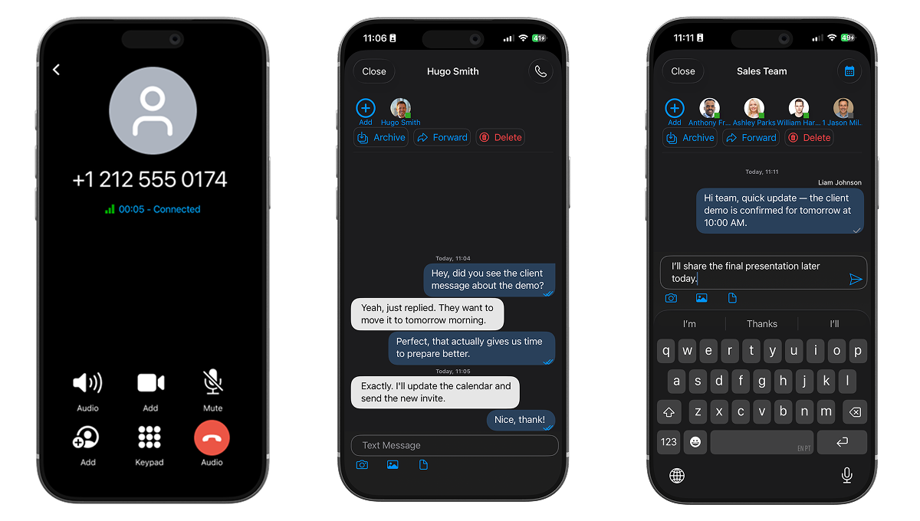
Yes, on both platforms. The 3CX app turns your smartphone into your office extension. The Go High Level (LeadConnector) app lets you make and take business calls through your GHL phone system instead of your personal cell plan.
Does AI answer all my calls?
It doesn't have to. We usually set up AI voice in place of an old “press 1, press 2” phone menu, or to pick up calls when no one is free. Your team still takes the calls it can. With the 3CX AI Edition, voicemails are also turned into text you can read. On Go High Level, the Voice AI agent can take calls your team misses. We'll set it up around how your team works.
What is a SIP trunk, and which carrier will you use?
A SIP trunk is your phone line delivered over the internet. We set up one carrier per system: Voxtelesys when premium call quality matters most, or Callcentric when most of your calls are incoming and keeping costs down is the priority. If you want a backup, we can add a second carrier on request.
Will my calls sound good on my internet connection?
Call quality depends a lot on your network. When InfinIT manages your network, we prioritize voice traffic (QoS) so calls stay clear even when the connection is busy. We'll look at your setup during planning.
Do my business phones work if the internet goes down?
It depends on how we build your system. The 3CX app on a smartphone with cellular data can still make and take calls when your phone system is hosted in the cloud. At sites where InfinIT also manages the network, we often add a backup internet connection, such as a cellular link, so desk phones keep working if the main connection fails. On request, we can also have your carrier forward calls to another number, such as a cell phone, if your system can't be reached.
Does 911 work on a business VoIP phone system?
Yes, with a few things to know. When someone dials 911, the emergency center needs an accurate address for that location. We register the service address with your carrier for each site, and we set up the phone system so 911 can be dialed directly, without an extra prefix. If you have more than one location, each site should have its own registered address. Please tell us if you move, because 911 uses the address on file, not the phone's GPS. Like any internet-based phone service, 911 also depends on power and a working internet connection (or a backup connection) at the time of the call.
Do you install on-site and train my team?
Yes. We install your system at your location and train your team on-site, so everyone is comfortable before go-live.
How do I get support after the system is installed?
Contact us directly: call (706) 250-8473 during business hours (Monday–Saturday, 9 AM–5 PM ET). Ask us about service agreements.
Ready to Stabilize IT?
Tell us what you're running today and where it breaks. We'll map a practical next step.
Mon–Sat 9:00 AM – 5:00 PM ET